
Cancel Hosted Exchange
Note: This help article applies only to Hosted Exchange. If you are unsure which email service you use, you can find more information in the following article.
https://www.green.ch/en/which-email-service-do-i-use
If you no longer need Hosted Exchange or would like to switch to a different email provider, you must remove the users, mailboxes and licences that are no longer required in the EdgePilot administration portal.
Note: Back up or transfer all required emails, calendars, contacts and other mailbox data before cancelling. After deleting a user or removing the Exchange service, the mailbox concerned can no longer be accessed.
See also
https://www.green.ch/en/hex-cancellation
Back up mailbox data before cancellation
Before cancelling, check that all required data is fully available in the mailbox. Then export or transfer the required emails, calendars, contacts and folders.
You can find suitable instructions in the following articles:
https://www.green.ch/en/outlook-windows-mailbox-import/export
https://www.green.ch/en/outlook-macos-mailbox-import-/-export
https://www.green.ch/en/apple-mail-mailbox-import/export
https://www.green.ch/en/thunderbird-windows-mailbox-import/export
https://www.green.ch/en/imap-data-transfer
Delete a user or remove an Exchange licence
A mailbox is provided for each Hosted Exchange user with a Lite, Lite+ or Full subscription. Users and licences that are no longer required can be removed in EdgePilot.
- Delete user: The user and the licence assigned to the user are deleted.
- Remove Exchange licence: The user remains in place but loses access to the Hosted Exchange mailbox. According to the existing instructions, the mailbox data remains on the system until it is fully deleted or technically cleaned up.
Note: Removing an individual user or licence only terminates the resource concerned. For a complete cancellation, check all users, licences, shared mailboxes, resource mailboxes and additional mailbox services.
Delete Hosted Exchange users in EdgePilot
Open the EdgePilot administration portal:
- Sign in with a user account that has administrator permissions.
- Open Service Administration and then Users. User administration is normally already displayed as the default view after you sign in.
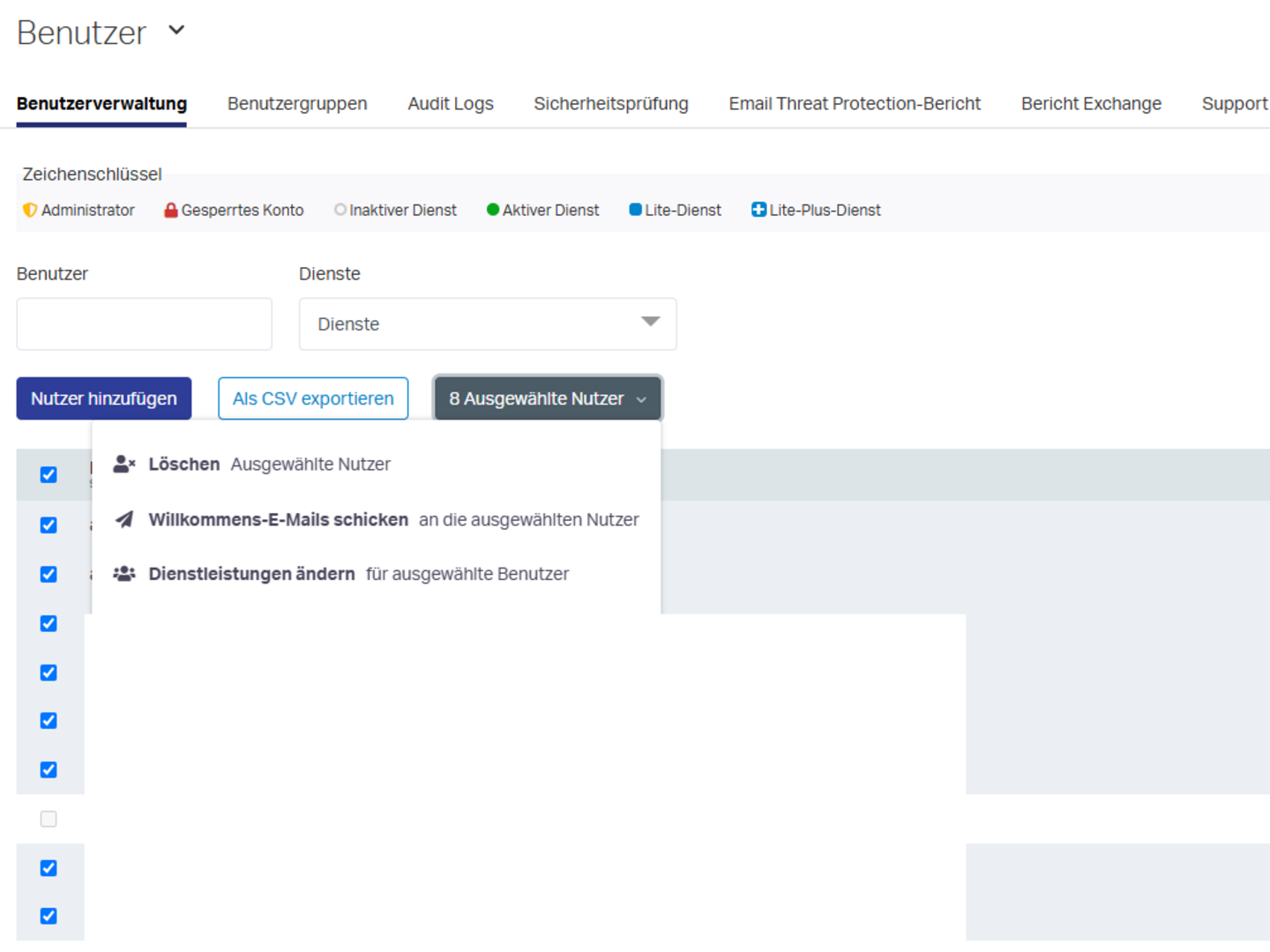
- Select the checkbox for all users who are to be deleted.
- Click Delete selected users.
- Confirm the deletion in the window that appears.
When a user is deleted, the licence assigned to the user is automatically cancelled.
At least one user with administrator permissions initially remains in place. This user is required to sign in to EdgePilot so that the remaining users can be deleted.
After deletion, a user may still be displayed in the EdgePilot graphical user interface for up to 15 minutes. If the user is still displayed after this time, clear the browser cache for the website and check user administration again.
Remove shared mailboxes and resource mailboxes
Also check whether any shared mailboxes or resource mailboxes still exist.
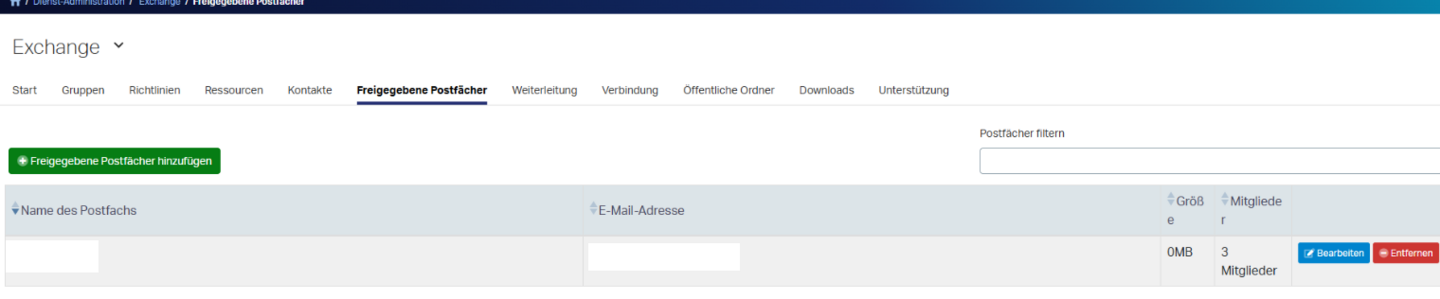
- You can find shared mailboxes under Service Administration, Exchange and Shared Mailboxes.
- You can find resource mailboxes under Service Administration, Exchange and Resources.
Remove all mailboxes and resources that are no longer required. Also check whether any other paid mailbox services exist.
Remove a user's Exchange licence
If the user is to remain in place but no longer have a Hosted Exchange mailbox, you can remove only the Exchange service.
- In EdgePilot, open Service Administration and then Users.
- Select the user whose Exchange licence is to be removed.
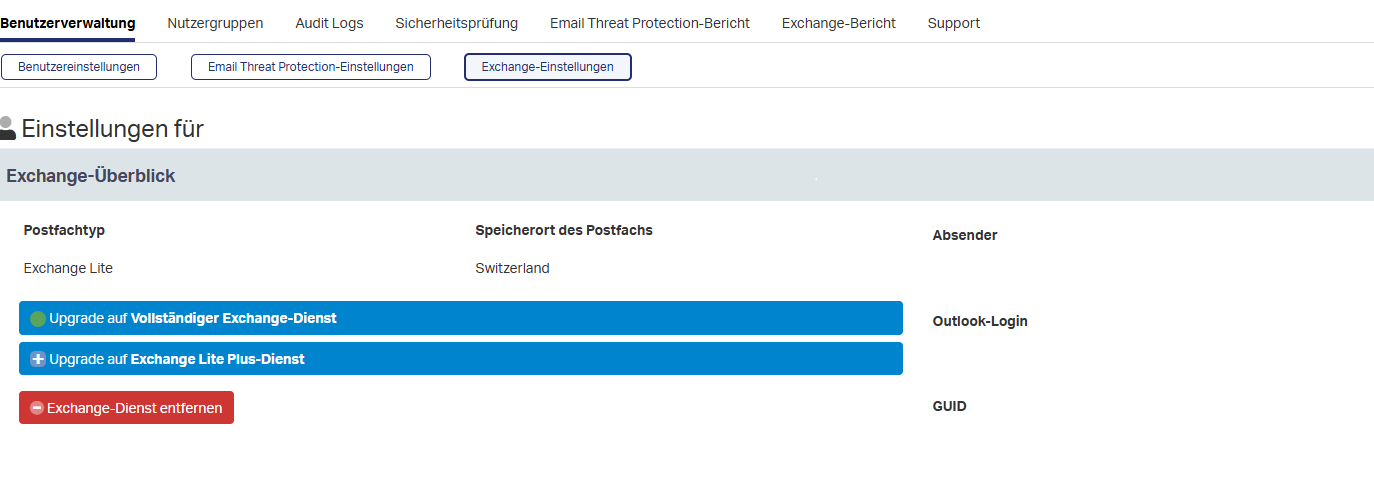
- Open Exchange Settings.
- Click the red Remove Exchange Service button.
- Confirm the cancellation of the licence.
Note: After the Exchange service has been removed, the user loses access to the mailbox. Therefore, back up all required data before removing the licence.
Cancel Hosted Exchange completely
For a complete cancellation, all components of the Hosted Exchange environment that are no longer required must be removed. In particular, check:
- Users and user mailboxes
- Hosted Exchange licences
- Shared mailboxes
- Resource mailboxes
- Additional mailbox services
As soon as no user licences remain, the subscription is considered cancelled according to the existing instructions.
Switch to another email provider
If you switch to another email provider, first back up or transfer all required data. Delete Hosted Exchange only after the data transfer has been completed and checked.
Then adjust your domain's DNS zone according to the new email provider's specifications. Otherwise, emails may continue to be delivered to the previous system, or the automatic setup of the new mailboxes may fail.
After the change, check whether sending and receiving emails through the new provider works.
Note: If you are discontinuing Hosted Exchange completely or switching to another Exchange system, delete all affected users and then contact Support. The previous Hosted Exchange organisation or domain may need to be completely cleaned up from a technical perspective. This can prevent conflicts between the previous and new Exchange systems.
Note: If the new email service does not work fully after cancellation or the previous Hosted Exchange configuration prevents setup, contact Support. In this case, technical follow-up work or a complete clean-up of the previous Exchange environment may be required.
Switch to Microsoft 365
When switching from Hosted Exchange to Microsoft 365, back up and transfer the required mailbox data before deleting the EdgePilot accounts. You can find more information about migration in the following article:
https://www.green.ch/en/migration-from-hosted-exchange-to-microsoft-m365
Billing after cancellation
After you have deleted a user or cancelled a licence, no further invoice will be issued for the removed resource from the next billing period onwards, according to the existing instructions.
The previous usage period and the current partial month will still be charged.
Further information
You can find further information about Hosted Exchange in the following article:
Delete users in EdgePilot
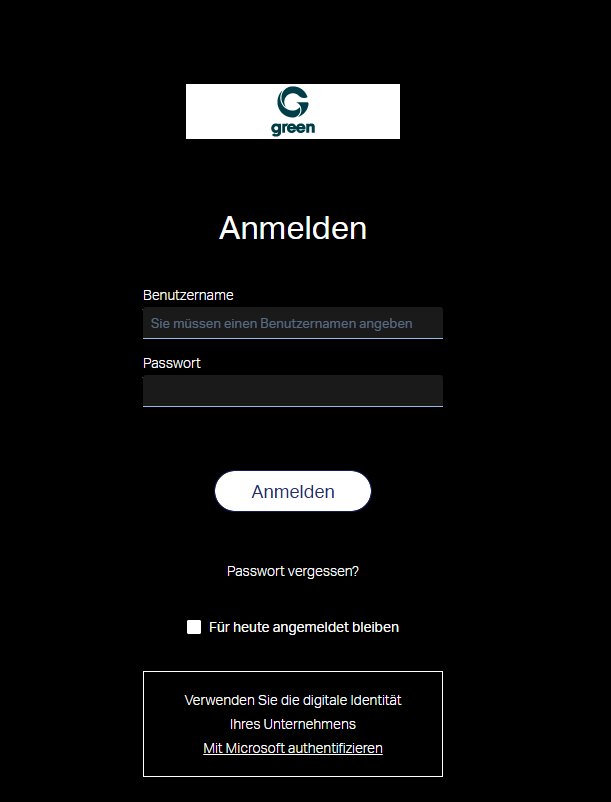
Sign in to the Hosted Exchange administration portal with an admin user at EdgePilot.
- Click the Service Administration menu item, then Users.
This is already the default view after signing in. - Select the checkbox for the users who are to be deleted.
- Select Delete selected users on the black button and confirm this in the pop-up window.
- If you still use shared mailboxes or resource mailboxes, you can remove them under Service Administration, Exchange, on the Shared Mailboxes tab or the Resources tab respectively.
Note: After deletion, your user may remain visible in the EdgePilot graphical user interface for up to 15 minutes. If the users are still visible after this time, clear your browser cache for the website.
At least one user with administrator permissions remains, as you use this user to sign in and delete the others.
Remove licences in EdgePilot
You can also remove only the licences for the user. If you cancel a licence, you lose access to your mailbox, but the data remains on the system until it is fully deleted.
Note: Would you like to move your Exchange environment to a different provider?
In this case, please delete all users and then contact our Customer Service so that we can completely purge your database.
This helps prevent future conflicts between different Exchange systems. Please remember to make the necessary changes in your DNS zone.
To remove licences in EdgePilot, proceed as follows:
- Click the Service Administration menu item, then Users to access User Administration.
This is already the default view after signing in. - Click the user whose licence you want to remove.
- Click Exchange Settings and then the red Remove Exchange Service button.
- Confirm the licence cancellation.
Billing period
After you have deleted your user or cancelled the licence, you will no longer receive an invoice from the next billing period onwards.
You will still be charged for the previous usage period and the current partial month. As soon as no user licences remain, the subscription is considered cancelled.