
Talk installation and configuration
Accessing the FRITZ!Box
- Connect your computer to the FRITZ!Box via LAN cable using LAN 2 or via Wi-Fi.
- Open an internet browser.
- Enter fritz.box</strong>http://fritz.box</strong> or 192.168.178.1 in the address bar.
- Make sure that the Advanced view is activated.
Set Up a New Internet Telephone Number
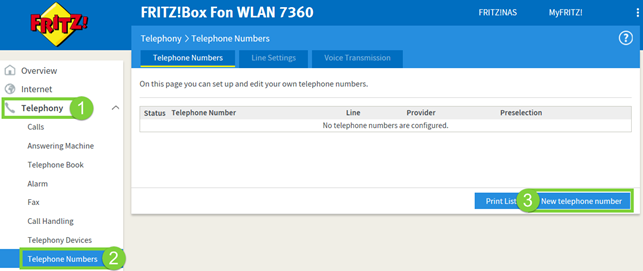
- Open Telephony.
- Select Own Numbers.
- Click New Number.
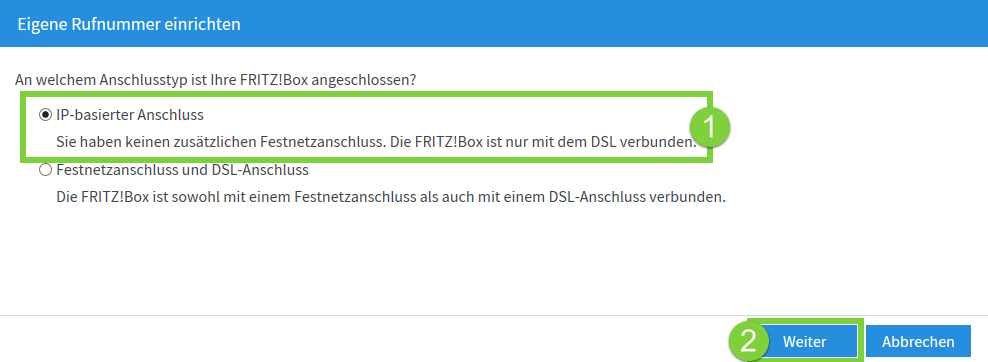
- Select IP-based line.
- Click Next.
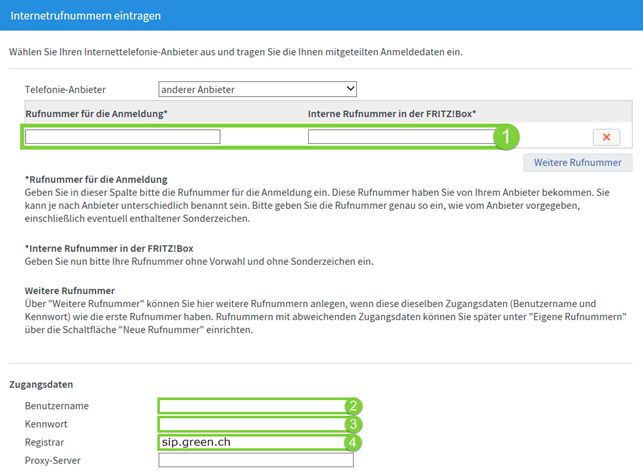
You can find the required login details in the letter you received when you registered or in the customer portal.
- Enter your telephone number under Telephone number for registration and Internal telephone number in the FRITZ!Box. Enter the internal telephone number without the area code.
- Enter your SIP username in the Username field.
- Enter your SIP password in the Password field.
- Enter sip.green.ch in the Registrar field.
- Click Next.
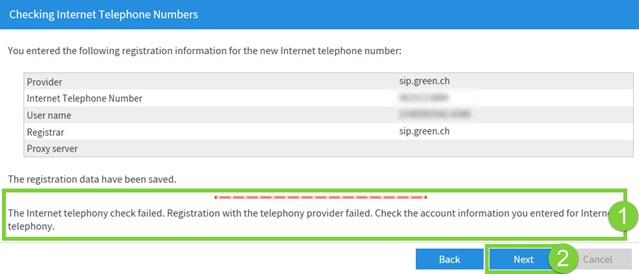
In the next step, your details are tested.
The test ends with the result failed.
This message is expected in this case.
- Click Next.
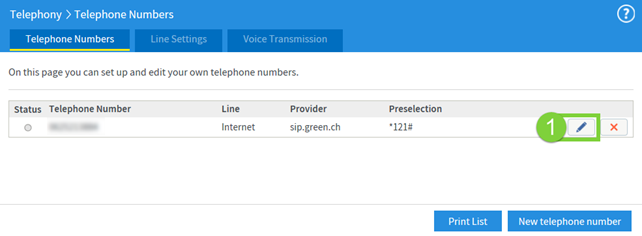
Click the pencil icon next to the newly added telephone number.
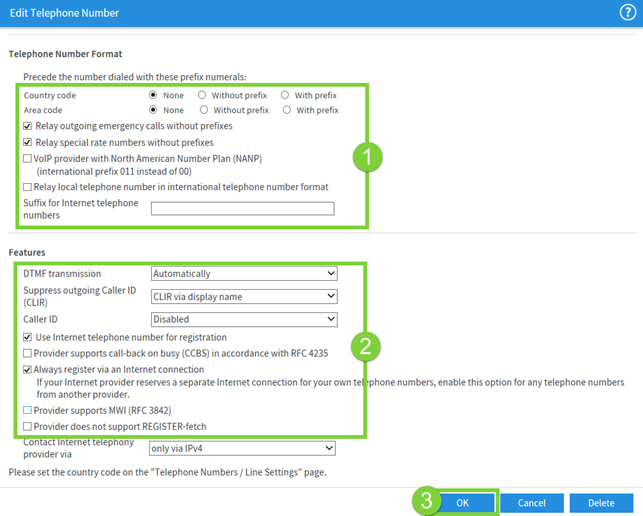
- Check the settings under Telephone number format and Features.
- Click OK to apply the settings.
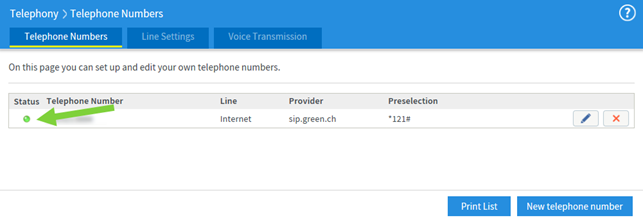
After a few seconds, the status of the telephone number changes to green.
Green Talk is then ready to use.
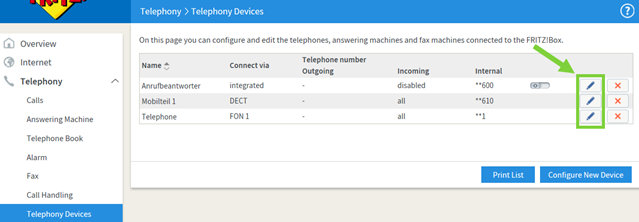
Assigning a telephone number to a telephone device
By default, connected telephones respond to all configured telephone numbers.
By default, the first telephone number configured is used for outgoing calls.
- Open Telephony.
- Open Telephony Devices.
- Click the edit icon next to the desired device.
- Adjust the desired settings.
Optional configuration
Advanced configurations are made via the FRITZ!Box menus.
These settings are recommended for advanced users only.
https://ch.avm.de/service/handbuecher/fritzbox/
TopStop limit
If outgoing calls are no longer possible, the monthly TopStop limit may have been reached.
TopStop is a protective feature for VoIP telephony.
Costs may be incurred if unauthorised persons gain access to your VoIP login details or if a connection unintentionally remains active.
For this reason, a limit of CHF 50.00 per month is configured by default for each Green Talk telephone number.
If the call charges exceed CHF 50.00 within a month, no further outgoing calls are possible.
In this case, you will hear the busy signal when dialling a chargeable telephone number.
Incoming calls remain possible.
Outgoing calls to the emergency numbers 112, 117, 118, 143, 144 and 147 also remain possible.
Note: If the TopStop limit has been reached and you would like to increase it, contact Green by telephone on +41 56 460 23 23.
The call charges are automatically reset to CHF 0.00 at the beginning of the following month.
Outgoing calls are possible again from the first day of the following month if the TopStop limit was reached and no increase was made.