
Termination of hosting and domain services
You can quickly and easily cancel your hosting or domain with Green via your my.green.ch customer portal. Log in to the my.green.ch portal using your MY user ID and password. Instructions on how to reset your password can be found https://www.green.ch/en/how-to-reset-mygreench-password
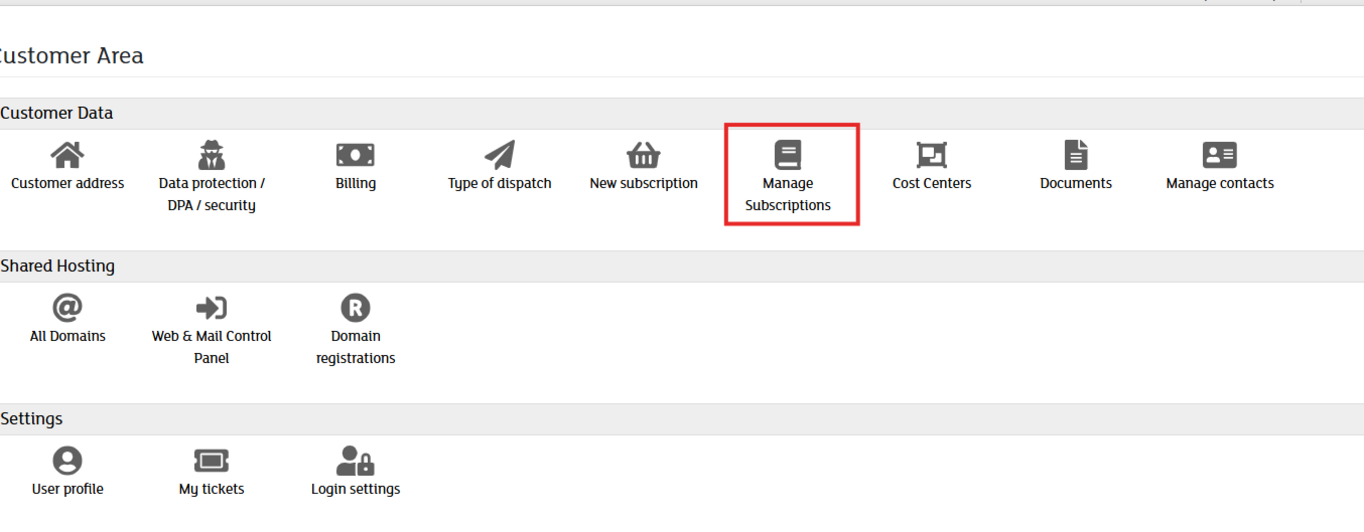
Once you have successfully logged in to the my.green.ch customer portal, click on "Manage Subscriptions" under the "Customer Data" section in the customer area.
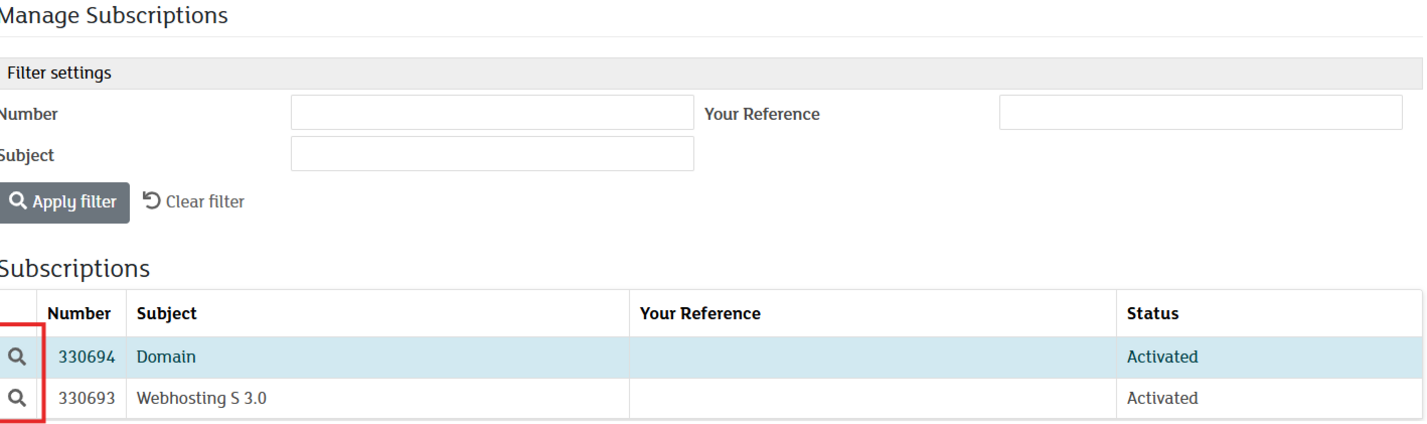
Once you are in the "Manage Subscriptions" overview, you will see a list of all your active contracts. Look through the list for the specific hosting service or domain you wish to cancel.
In that row, click the magnifying glass icon on the far left (directly next to the subscription number) to select the subscription you want to terminate.
To properly terminate your subscription, please follow these steps:
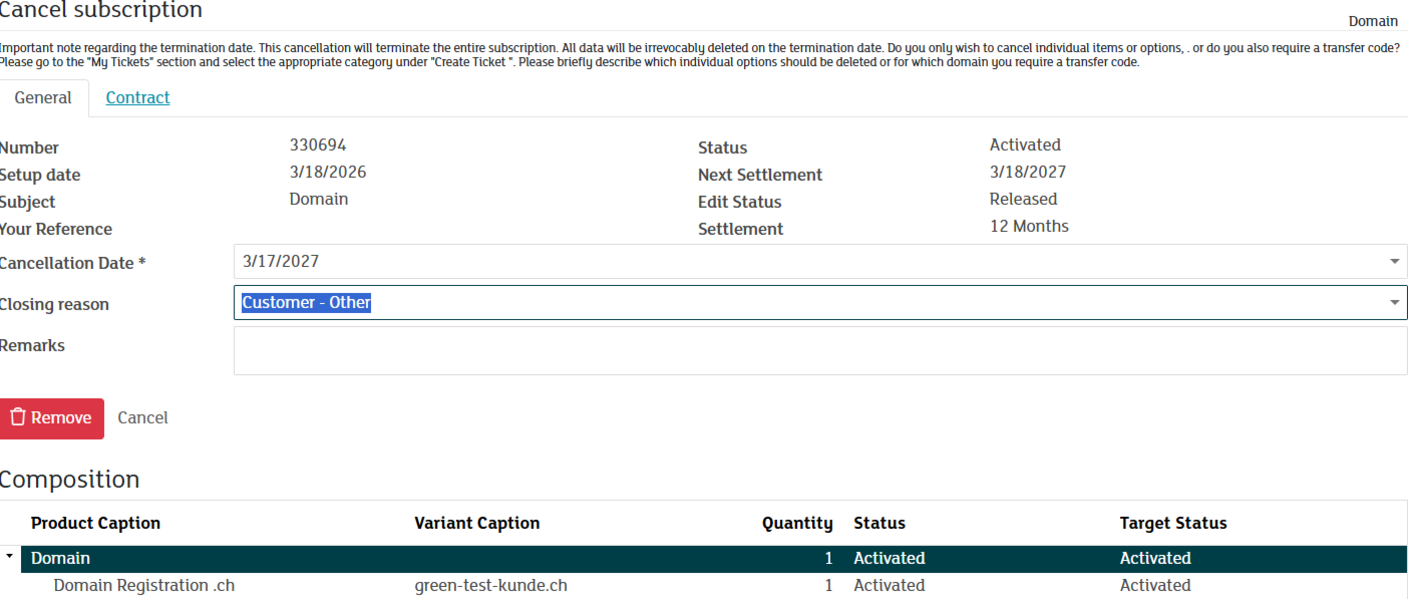
In the detailed view of your subscription, click the red "Remove" button. In the following window, you will have the option to set the cancellation date:
-
Standard Setting: By default, the cancellation will take effect at the earliest possible date (end of the current term).
-
Important Note on Remaining Term: If you choose to cancel at a later date that extends beyond the current period, a corresponding invoice will be issued for the remaining balance of that term.
Please enter a reason for your cancellation in the designated field. Your feedback helps us to continuously improve our service.
With the final click on Confirm, the cancellation process will be initiated.
Warning – Data Loss: Once the cancellation becomes effective, the subscription—including all data (website files, databases, assigned domains, DNS zones, and emails)—will be permanently deleted. Please ensure that you have created a complete backup of your data before the deadline expires.
Please note that canceling partial options or requesting transfer codes is only possible via the "My Tickets" menu.
-
Prerequisite: If you require a transfer code for your domain, please ensure that you have already canceled the corresponding domain subscription.
-
Procedure: Create a new ticket under "My Tickets" and select the category "Request Transfer Code"
-
Partial Options: To cancel individual add-on options of your subscription, please also use the ticket system and select the "Cancellation" category.